Battlefield 6 tools
Loadouts, settings, specs, and a review you can actually use.
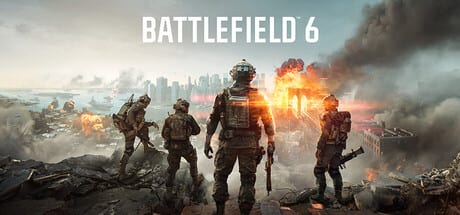
The tools hub is for pages you open while the game is sitting in a menu. Season 4 loadouts is the copy-paste gunsmith. Best settings is the visibility and frame-rate pass. System requirements is the PC gate. The review is the “should I even buy this” page.
These are not minigames. They are reference sheets. Pair them with the guides hub when you need the why, and with the weapon tier list when you need the rank.
Loadouts
A loadout in Battlefield 6 is a class kit: primary, secondary, gadgets, grenade, training path. The loadouts page gives one working build per class for Season 4 large maps, plus a CQB variant. It will not list every attachment in the gunsmith. If a gun is not on that page, look it up on the weapon tier list and do not invent five recoil parts you have not unlocked.
Settings and hardware
PC players should read system requirements before they blame the netcode. TPM 2.0 and Secure Boot still catch people in 2026. After you launch, best settings is the order of operations: FOV, motion blur off, upscaling, reflex, and the graphics that hide infantry in foliage.
Controller and mouse binds live in controls, not here, so this hub does not duplicate a key table.
Review
The review is for buyers and returners. Metacritic sat in the low 80s at launch; the live game is now a year of seasons deep. If you hated 2042’s specialists, classes are back. If you wanted boats, Season 4 finally shipped them. If you only want a battle royale, REDSEC is free and the review still tells you what you are missing from the premium sandbox.
How to use the hub in a session
- Check patch notes if you have not played this week.
- Open loadouts and set one class.
- Skim settings only if the game looks worse than last time.
- Queue. After the match, use maps or vehicles to fix the thing that actually killed you.
If you are brand new, skip the review arguments and start at getting started. Tools are for people who already know they are staying.
Open this hub from a second monitor or a phone. The point is to copy a kit, change three sliders, and get back into the deploy screen. If you find yourself reading for twenty minutes, you wanted a guide instead of a tool. Keep the two habits separate and your first death of the night will at least be on a flag you meant to contest.
When Season 4 adds a rifle or a boat, this hub does not need a new category. The loadout page gains a paragraph, the review gains a caveat, and the settings page only changes if water spray tanks your frame rate. That is intentional. A tools section that grows a new article every patch becomes a blog. We would rather keep four sharp pages and point at patch notes for the rest.
Frequently Asked Questions
Quick answers to the most common Battlefield 6 questions.
Where are the best Battlefield 6 loadouts?
On the loadouts page, ranked against the weapon tier list for Season 4.
Can my PC run Battlefield 6?
Check system requirements. Minimum is an RTX 2060-class GPU, 16 GB of RAM, and TPM 2.0 with Secure Boot.
Are settings the same on console?
FOV, motion blur, and aim options overlap. PC-only upscaling lives on best settings. Binds are on controls.